


 Hyundai CEO Warns Chinese Automakers Could Disrupt US Market
  Big AI wants to slow down AI research. Is it a safety pause or a strategic retreat?
  Qualcomm Gains on $60B Amazon AI Chip Deal
  China Reviews Broadcom Switch Use in State Data Centres
  Apple Pay Set for India Launch With Axis Bank
  MediaTek Unveils 2nm Dimensity 9600 Pro AI Chip
  Burnham Eyes UK Leadership Role in AI Ahead of Trump Meeting
  Meta CEO Zuckerberg Backs Independent AI Safety Reviews Over Development Slowdown
  Databricks to Invest $350 Million in Singapore AI Expansion
  Cathie Wood Backs AI Slowdown as Safety Concerns Grow
  Guterres Urges Stronger Global AI Safeguards Ahead of UN Assembly
  Japan, U.S. Discuss $19 Billion GlobalFoundries Chip Plant
  SpaceX Nasdaq 100 Weight to More Than Double in Rebalance
  Who should own the knowledge that underpins AI technology?
  SK Hynix, Intel Discuss U.S. Memory Chip Production Deal
  Rosenblatt Starts Nokia at Buy on AI Networking Growth
  Scott Bessent Eyed as Trump’s New AI Czar


 Add as a preferred source on Google
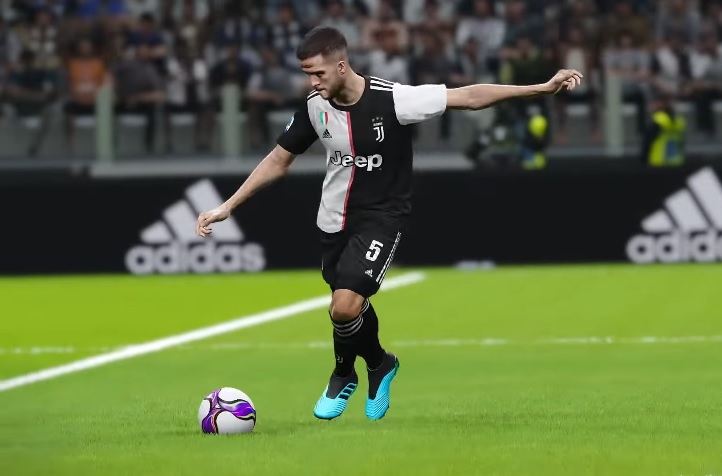
“eFootball PES 2020” has been made available to video game fans through several platforms, including mobile gaming systems. However, some fans playing the latest iteration of the “PES Mobile” on Android have reported not being able to install the game’s latest version on their devices, prompting an official announcement from Konami.
‘eFootball PES 2020’ on mobile: Some Android users cannot install the game’s latest update, here’s how to fix it
It is unclear how many players are affected by the said issue, however, Konami has pointed out on Twitter that it is only experienced by Android users. That suggests the cause of the issue is not on the part of the developer or the game servers and coding.
“There is a chance that this issue is being caused by the Google Play Store displaying the incorrect amount of space required to download and install the latest update,” Konami explained. This could purportedly result in the latest “eFootball PES 2020” version on mobile to not be fully downloaded on the device despite an indicator that says the installation has loaded 100%.
In this case, “eFootball PES 2020” players on Android are advised to free up storage space as much as they can before trying to initiate an update again. Also, players should make sure that the installation has been completed before restarting the game so as not to interrupt the process.
‘eFootball PES 2020’: Other tips to install the latest version of ‘PES’ on Android
???? NOTICE: #eFootballPES2020 Mobile Issue ????https://t.co/X7RbcSOpqz pic.twitter.com/MnjTDUdp2q
— eFootball PES (@officialpes) January 10, 2020
If the above-mentioned tip would not solve the issue, Konami suggested “eFootball PES 2020” players to perform basic troubleshooting methods. In an earlier post, Konami advised “eFootball PES 2020” mobile users to install updates while connected to a Wi-Fi network instead of using mobile data. It might also help to initiate the update without other installation being processed as well as making sure the Android device is set with automatic date and time.
There is also a possibility that affected users have an outdated Google Play Store app, updating it could allow them to install the latest version of the “eFootball PES 2020” mobile. If that does not solve the issue, Konami also suggested “uninstalling updates to the Store.”
It might also help to clear Google Play Store data and cache from the Settings app or temporarily logging out the Google account linked to the Play Store. Of course, the oldest trick in the book is simply restarting the device. No matter what method “eFootball PES 2020” will try, Konami is advising against uninstalling the “PES 2020” to prevent loss of game data and information.







