


 Meta Partners With Shopify to Bring Shop Pay Checkout to Muse AI
  Anthropic’s Claude Discovers CRISPR-Like Enzyme System
  Meta Unveils Muse Charm AI Device, Expands Smart Glasses Lineup
  Former OpenAI Data Center Chief Chris Malone Joins Nvidia
  SoftBank Shares Fall as Oracle Flags Stargate Data Center Delay Risk
  Burnham Eyes UK Leadership Role in AI Ahead of Trump Meeting
  US Backs Musk in Fight Against EU’s €120 Million X Fine
  Apple Extends Qualcomm Patent Licensing Deal
  SoftBank Raises $11.1 Billion in Bond Sale to Fund OpenAI Investment
  OpenAI to Preview GPT-6 Cyber AI Model for Cybersecurity
  SpaceX Nasdaq 100 Weight to More Than Double in Rebalance
  Tencent Launches TenPayGo Payment App for Foreign Tourists in China
  Jeff Bezos Invests $32 Billion in Blue Origin as Space Firm Targets Major Growth
  SpaceXAI to Double Nvidia Chips at Colossus 2 by Year-End
  Xi Calls for Deeper U.S.-China AI Cooperation in Trump Talks
  China’s ‘Lipstick King’ Says AI Won’t Replace Livestream Hosts


 Add as a preferred source on Google
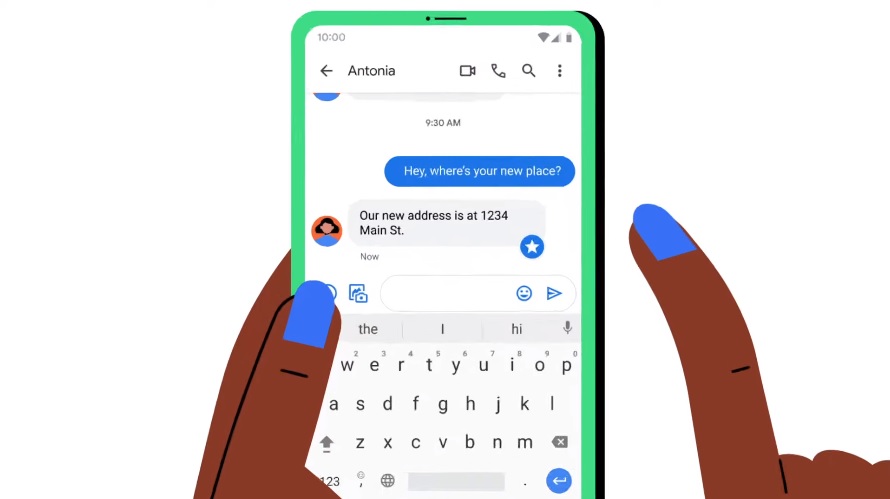
Google recently unveiled some features coming to Google Messages. However, the company has apparently added a new function recently – without drawing much attention to it – that lets users adjust the font size of their conversations with just one gesture.
Google quietly rolls out pinch-to-zoom feature for font adjustment
The update was first reported by Reddit’s u/user01401, who discovered the change following the release of “Google Messages Beta v8.3.026” that only had the changelog: “Bug fixes and stability improvements.” The same source, however, found that the update adds a feature that allows font size adjustment by simply using a pinch-to-zoom gesture.
Reddit user BlueDusk99 responded in the post saying the new feature was later made available on the Google Messages stable version 8.1.051. This means Google Messages users worldwide will have to keep checking if the update carrying this new feature is available to them.
XDA Developers’ Mishaal Rahman reports that the new features seem to be available only on Google Messages version 8.x. While waiting for it though, there are several demonstrations available online to show it will work including the one Rahman shared.
Here's a demo pic.twitter.com/e2jmUYQhRw
— Mishaal Rahman (@MishaalRahman) June 18, 2021
While the new feature’s purpose is to ultimately adjust the font size for better readability, it does not really require changing the font size setting. With the pinch-to-zoom gesture, Google Messages are merely zooming in and out to see details on their conversations more clearly. This should be a welcome change because it does not require users to change font options from the system settings, which would mean changing the font size for all apps.
End-to-end encryption, starred messages arrive to Google Messages
There were several other features announced for Google Messages. One of the most important updates added the end-to-end encryption on the app. This means texts, media files, and other forms of messages shared through the app are now secured on both ends of the sender and the receiver.
Last week, Google also rolled out an update that adds the starred messages feature on the app. This should help users keep track of important details that often get lost in long conversation threads. To use the new function, press and hold on the text and once it is highlighted, press the star button on the upper-right side of the screen. Google Messages users can find these important messages by tapping on the search bar and selecting the “Starred” tab from the Categories.







