


 Apple Pay Set for India Launch With Axis Bank
  Burnham Eyes UK Leadership Role in AI Ahead of Trump Meeting
  SpaceX Nasdaq 100 Weight to More Than Double in Rebalance
  Nvidia CEO Jensen Huang Expected at Trump-Xi State Dinner
  Westinghouse Targets $50 Billion Valuation in U.S. IPO
  SK Hynix, Intel Discuss U.S. Memory Chip Production Deal
  US Federal Register Drops Alibaba Qwen AI Search Tool
  Cathie Wood Backs AI Slowdown as Safety Concerns Grow
  OpenAI Urges US-Led Global Standards for Frontier AI
  AI is supercharging money scams – here’s what you can do to protect yourself
  Microsoft Stock Upgraded as Stifel Sees Stronger Azure Growth
  France Urges Faster AI Push Despite Safety Risks
  China Reviews Broadcom Switch Use in State Data Centres
  DOJ Will Investigate AI-Related Crimes, Attorney General Blanche Says
  Databricks to Invest $350 Million in Singapore AI Expansion
  Qualcomm Gains on $60B Amazon AI Chip Deal
  Meta Partners With Shopify to Bring Shop Pay Checkout to Muse AI


 Add as a preferred source on Google
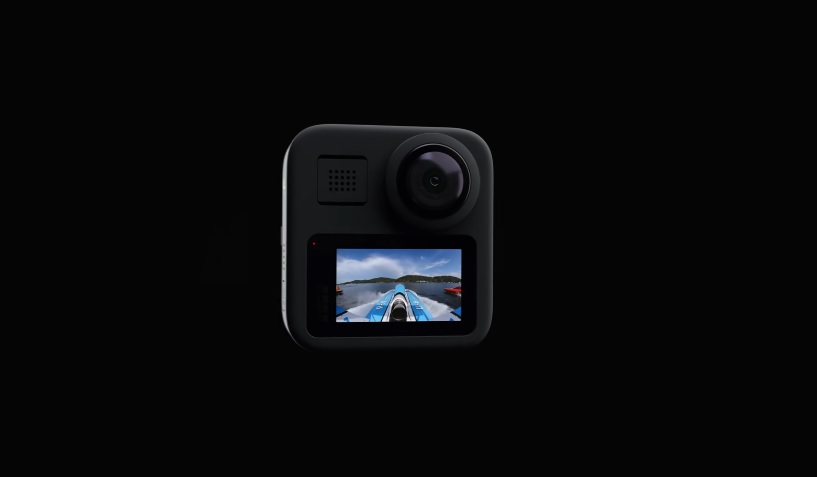
GoPro announced its two newest cameras last fall. While the flagship product is obviously the HERO8 Black, the GoPro MAX is also an interesting action camera option, with the primary attraction being the 360-degree mode.
The company is now reinforcing that with the release of the latest firmware update specifically for the GoPro MAX. The update comes with new features giving users more control to the exposure whenever they use it in 360 mode.
GoPro MAX update v1.40: How the new exposure controls work
Upon updating the GoPro MAX firmware to v1.40, users will have access to new controls called the Hemisphere and Spherical Exposure for the camera’s 360 mode. With Hemisphere Exposure, users are practically alerting the lens of their choice (GoPro Max has two) to what part of the environment it should focus the exposure adjustment without affecting other areas of the 360-degree hemisphere. It then helps prevent overexposure on areas that camera users did not intend to expose.
The difference with the Spherical Exposure is that users can choose any point in the 360-degree sphere where the camera will adjust the exposure to, and all the other parts of the environment will be adjusted accordingly. Based on GoPro’s blog post, these controls can only be used in 360 mode.
How to update GoPro MAX to the latest firmware release?
The GoPro MAX v1.40 update, released on Wednesday, also adds Smart Remote support that adds to the ways camera users can remotely adjust settings since it can also be done with the official GoPro mobile app. Smart Remote allows users to navigate their cameras even at a 600 ft distance.
The new firmware also comes with enhanced water and wind noise detection as well as volume level detection to produce videos with better audio quality through the GoPro app. V1.40 release notes also indicate that it will fix “general” bugs and improve the camera’s UI.
GoPro MAX’s latest firmware update is free and can be installed easily as well. Camera users will only need to initiate the update through the GoPro app or do it manually by following the steps and submitting details about your camera and GoPro account here.







