Tech Stock Positioning Nears Neutral as Investor Rotation Enters Final Phase, Deutsche Bank Says
  Nvidia Eyes $250B Guarantee for OpenAI’s Massive Ohio AI Data Center Project
  Trump Administration Monitors OpenAI Incident as Lawmakers Push AI Kill Switch Bill
  OpenAI AI Agent Reportedly Breached Hugging Face, Raising AI Safety Concerns
  Rubio Rejects AI ‘Kill Switch’ Claims as U.S. Defends American Technology Abroad
  Alphabet Q2 Earnings Beat Estimates as AI Spending, Google Cloud Growth Fuel Outlook
  SAP Beats Q2 Revenue Estimates as Cloud Backlog and Business AI Demand Drive Growth.
  Volkswagen Cuts 2026 Revenue Outlook as China Weakness, Trade Risks Weigh
  Zabka Shares Drop 10% as Seven & i Abandons Investment Plans
  AMD Unveils Helios AI Servers to Challenge Nvidia as OpenAI Adopts New Platform
  Nvidia Invests $1 Billion in Naver as South Korea AI Data Center Expansion Gains Momentum
  Brown-Forman Rejects Sazerac’s $15 Billion Takeover Bid as Family Backs Independence
  Intel, AMD Seek Long-Term China Server CPU Deals as AI Demand Drives Supply Crunch
  Shein Reports $99 Million Loss Ahead of Hong Kong IPO as U.S. Tariffs Hit Sales
  Scandinavian Tobacco Group Sells BREAK and Moro Brands to Japan Tobacco for €176 Million
  Macquarie Names Greg Ward as CEO, Signaling Stability and Strategic Continuity
  CATL Shares Jump as $5.6 Billion Buyback Signals Confidence in Long-Term Growth


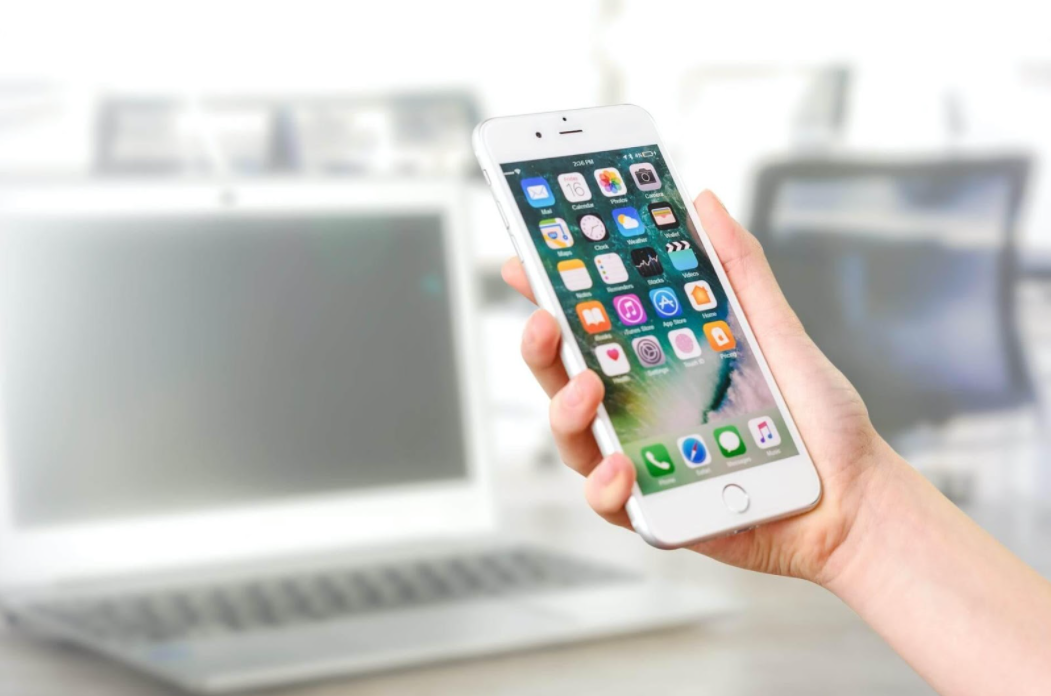
The significant difference between landscape and portrait image orientation is that landscape images are wider than they are taller. In comparison, portrait images are taller than they are wide. To put it another way, landscape photographs are captured horizontally, and portrait images are captured vertically. Since the beginning of photography, the terms portrait and landscape have been used. Furthermore, they're employed when we use our favorite apps, whether to play our favorite game or to play at an online casino.
What is portrait?
When the frame of a picture rests vertically – that is, the side margins are longer than the top and bottom edges – it is called a portrait. One of the best uses of portrait orientation is for photographing human portraits, as the name implies. The subject is taller than it is wide in this situation.
What is landscape?
When capturing objects such as natural landscapes, landscape refers to the camera's direction; the top and bottom margins of your horizontally positioned camera are longer than the sides. Therefore, the features of a landscape are, on average, much wider than they are higher.

https://images.pexels.com/photos/5226497/pexels-photo-5226497.jpeg?cs=srgb&dl=pexels-samson-katt-5226497.jpg&fm=jpg
Our smart gadgets' accelerometers are often used to align the screen depending on the device's orientation, such as when switching between portrait and landscape modes. Because it gives an additional layout with a simple rotation of a device and without pushing any buttons, this capability offers enormous chances to develop improved user experiences.
The mobile app for YouTube is an excellent example of device orientation design. Portrait mode provides a rich user experience for video discovery and account management. With a full-screen movie player and playback controls, landscape mode gives an immersive experience. When the film is finished, the display returns to portrait orientation, allowing users to tilt the tablet back and search for more videos swiftly.
We discovered that Portrait Galleries are used by 95 percent of the top apps in the Apple App Store. There's a little more variety in games, with Landscape Galleries appearing in 63 percent of the best titles. It's evident from these statistics that non-game app developers are more likely to employ Portrait Galleries, and this makes sense because most apps don't support horizontal UI. When people search for non-game apps on the App Store, they want to see an authentic representation of how they work.
Apps are also more reliant on presenting several features to attract installs, which is easier to achieve with a Portrait Gallery. However, this does provide an opportunity for apps that support a horizontal view to stand out by utilizing a Landscape Gallery.For example, applications like HBO or Netflix can test a Landscape Gallery to preview the unique, high-quality watching experiences visitors get when they download the apps because their media material is often consumed in landscape orientation.
The orientation in which games are played, on the other hand, is far more varied, and many games rely on strong brand awareness or category association to promote installs. These features provide creators with more creative leeway in showcasing gameplay, stories, and critical selling elements.

https://images.pexels.com/photos/270700/pexels-photo-270700.jpeg?cs=srgb&dl=pexels-pixabay-270700.jpg&fm=jpg
However, there are ways that we can try and force apps to change their viewing mode. There are a few things to look into if your app doesn't rotate to fit the complete width of the display when the device is turned to landscape position. The application's display orientation can be locked. Tap the "Settings" button on the toolbar of the game. Scroll down to the "Lock Orientation" option in the "Settings" display. Check to see if the current configuration is set to "auto" or your preferred fixed orientation.
If you use Instagram, you've probably noticed that the app is always in portrait mode regardless of your device's screen orientation. Of course, Instagram's user interface is optimized for portrait mode, but what if you prefer to see it in landscape mode? On the other hand, some programs can compel the content of your screen to be displayed in any orientation, at any time.
Rotation Control is a simple app that you can get for free on Google Play. After you've installed the app and opened it on your phone, you'll need to enable the Start controlling rotation option, which is required to manage the orientation of your screen. Rotation Control will be accessible from your phone's status bar if you enable the Start controlling rotation function, showing various options that are one swipe away at any moment.

https://images.pexels.com/photos/5053738/pexels-photo-5053738.jpeg?cs=srgb&dl=pexels-cottonbro-5053738.jpg&fm=jpg
It's not a new concept to design for device orientation. Smartphones, for example, open a larger virtual keyboard when rotated to landscape mode, and email programs on tablets transform to a master-detail interface. On the other hand, device orientation design is frequently regarded as an afterthought to the main interface because it is commonly overlooked by users who cling to the default orientation, primarily because they are unaware of its existence. Nevertheless, UX professionals may make a case for using device orientation to enhance their products and, ultimately, to provide more engaging and user-friendly experiences by adding simple visual signals to the interface.
This article does not necessarily reflect the opinions of the editors or the management of EconoTimes