OpenAI Expands Enterprise AI Strategy With Major Hiring Push Ahead of New Business Offering
  Global PC Makers Eye Chinese Memory Chip Suppliers Amid Ongoing Supply Crunch
  SpaceX Seeks FCC Approval for Massive Solar-Powered Satellite Network to Support AI Data Centers
  Instagram Outage Disrupts Thousands of U.S. Users
  Palantir Stock Jumps After Strong Q4 Earnings Beat and Upbeat 2026 Revenue Forecast
  Sony Q3 Profit Jumps on Gaming and Image Sensors, Full-Year Outlook Raised
  Anthropic Eyes $350 Billion Valuation as AI Funding and Share Sale Accelerate
  Nvidia, ByteDance, and the U.S.-China AI Chip Standoff Over H200 Exports
  Nintendo Shares Slide After Earnings Miss Raises Switch 2 Margin Concerns
  Nvidia Nears $20 Billion OpenAI Investment as AI Funding Race Intensifies
  TSMC Eyes 3nm Chip Production in Japan with $17 Billion Kumamoto Investment
  SpaceX Prioritizes Moon Mission Before Mars as Starship Development Accelerates
  AMD Shares Slide Despite Earnings Beat as Cautious Revenue Outlook Weighs on Stock
  Nvidia CEO Jensen Huang Says AI Investment Boom Is Just Beginning as NVDA Shares Surge
  Amazon Stock Rebounds After Earnings as $200B Capex Plan Sparks AI Spending Debate
  SoftBank Shares Slide After Arm Earnings Miss Fuels Tech Stock Sell-Off


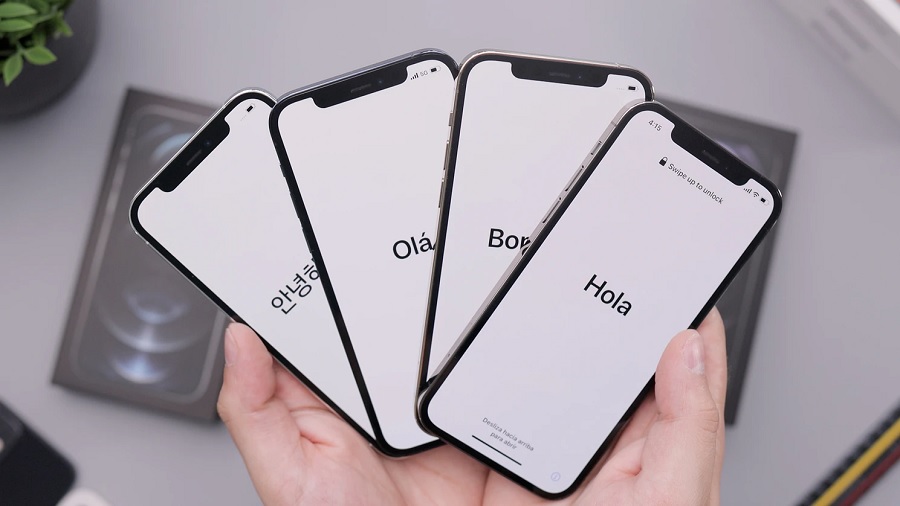
Hundreds of millions of people are using iPhone and iPad worldwide, making the iOS 14.5 and iPadOS 14.5 some of the most anticipated Apple software updates right now. The good news is, after spending months in developer and public beta, these next versions are confirmed to go live in the coming days.
iOS 14.5 release date and how to update
Apple’s official press release for the AirTag includes a footnote that says the ultra-wideband tracker will only work with iPhone, iPod, and iPad running on iOS 14.5 and iPadOS 14.5 or later. “These software updates will be available starting next week,” Apple added in the announcement published last April 20.
A specific date was not provided, and Apple rarely announces ahead of time when the latest software updates exactly go live. But “starting next week” means it could happen anytime between April 26-30 since the company usually launches full-version updates on weekdays. MacRumors noted that the first wave of iOS 14.5 updates could be available around 10 a.m. PDT based on previous releases. While the iPadOS 14.5 is technically a separate update, it is most likely going live within the same timeline as the iOS 14.5.
As with most software updates, new versions of iOS do not roll out at the same time for iPhone, iPod, and iPad users worldwide. But the mentioned date and time could be the earliest possible schedule for the full iOS 14.5 launch. Compatible devices typically put up a notification once the software update is available.
iOS 14.5: How to download and install the upcoming update
Users can also check for its availability manually by going to the Settings app > General > Software Update. Once iOS 14.5 is live, a red dot icon with “1” should appear on the right side of the Software Update tab.
It is a good practice to make a backup of the device before installing the update. Apple also advises users to plug their device into a power outlet to make sure the install will not be interrupted. To carry on with the update, tap the Software Update button, and then choose Download and Install. Depending on the size of iOS 14.5, some users might be asked to free up storage space by removing files or apps.
Featured photo by Daniel Romero on Unsplash