Elon Musk’s Empire: SpaceX, Tesla, and xAI Merger Talks Spark Investor Debate
  Jensen Huang Urges Taiwan Suppliers to Boost AI Chip Production Amid Surging Demand
  Global PC Makers Eye Chinese Memory Chip Suppliers Amid Ongoing Supply Crunch
  Nintendo Shares Slide After Earnings Miss Raises Switch 2 Margin Concerns
  TSMC Eyes 3nm Chip Production in Japan with $17 Billion Kumamoto Investment
  Alphabet’s Massive AI Spending Surge Signals Confidence in Google’s Growth Engine
  AMD Shares Slide Despite Earnings Beat as Cautious Revenue Outlook Weighs on Stock
  Nvidia, ByteDance, and the U.S.-China AI Chip Standoff Over H200 Exports
  Oracle Plans $45–$50 Billion Funding Push in 2026 to Expand Cloud and AI Infrastructure
  SoftBank Shares Slide After Arm Earnings Miss Fuels Tech Stock Sell-Off
  SpaceX Pushes for Early Stock Index Inclusion Ahead of Potential Record-Breaking IPO
  Sam Altman Reaffirms OpenAI’s Long-Term Commitment to NVIDIA Amid Chip Report
  Elon Musk’s SpaceX Acquires xAI in Historic Deal Uniting Space and Artificial Intelligence
  Nvidia Confirms Major OpenAI Investment Amid AI Funding Race
  Baidu Approves $5 Billion Share Buyback and Plans First-Ever Dividend in 2026
  Nvidia CEO Jensen Huang Says AI Investment Boom Is Just Beginning as NVDA Shares Surge


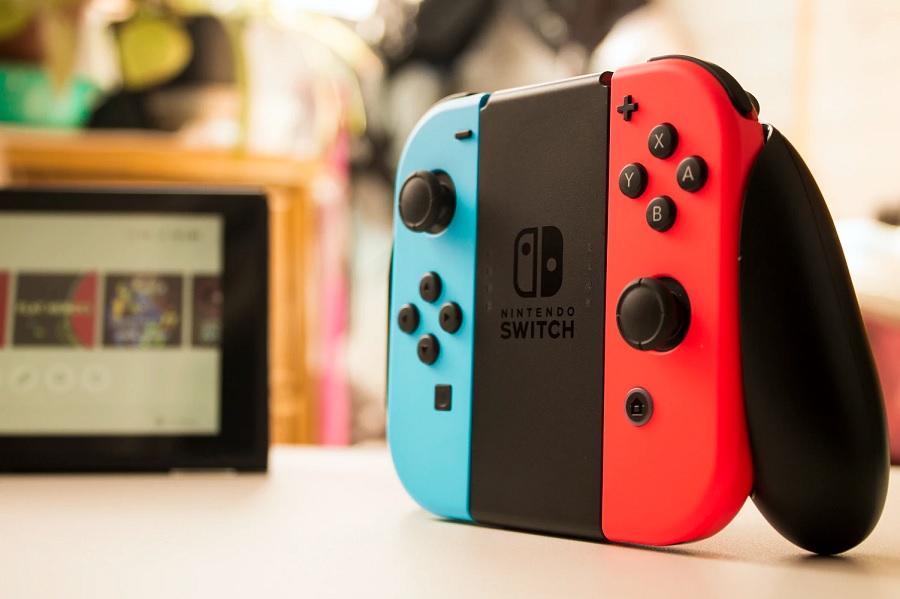
The Nintendo Switch version 11.0.0 delivers some much-need improvements, especially to those who love sharing screenshots of the games. It also brings a slew of new content in the form of user icons inspired by the classic “Super Mario Bros.”
Screenshot and video sharing available via wireless, USB cable connections
Anyone who has been paying attention to the Nintendo Switch updates may have been used to getting one-line changelogs. But that is not going to be the story today as Nintendo deployed version 11.0.0 update on Monday.
One of the noteworthy updates is focused on the screenshot sharing experience. Consoles updated to version 11.0.0 can now be connected to “smart devices” to easily transfer gameplay screenshots and videos they saved in the Album.
Only 10 screenshots and one video can be sent to other devices at a time but still, that is better than nothing. This means avid gamers can share their victories and interesting plays faster on various platforms. Users must scan the QR code that will appear on the Nintendo Switch screen to connect it to the smart device of their choice.
Nintendo Switch users can also send Album screenshots and videos to computers through a USB cable connection. For this method the work, the console has to be directly connected to the computer via the USB cable. Connecting it through the dock will not initiate the data transfer.
Nintendo Switch update adds automatic data backup
Speaking of data transfers, Nintendo Switch users with a Nintendo Account linked to several devices can now activate automatic data backup. This option is available through System Settings > Data Management > Save Data Cloud. However, cloud backup services are only available to Nintendo Switch Online subscribers. It is available for $3.99 per month.
The celebration of “Super Mario Bros.” 35th anniversary extends to the Nintendo Switch version 11.0.0 as well. The update will add 12 new user icons designed after the popular video game franchise.
How to update Nintendo Switch to the latest version
Updating Nintendo Switch should happen automatically once the console is connected to the internet. Otherwise, users can manually initiate the download and install. Just open the System Settings, scroll down to System, and choose the System Update option.
Featured photo by Enrique Vidal Flores on Unsplash