


 SpaceX Nasdaq 100 Weight to More Than Double in Rebalance
  Apple Pay Set for India Launch With Axis Bank
  Hyundai CEO Warns Chinese Automakers Could Disrupt US Market
  Big AI wants to slow down AI research. Is it a safety pause or a strategic retreat?
  Qualcomm Gains on $60B Amazon AI Chip Deal
  Westinghouse Targets $50 Billion Valuation in U.S. IPO
  SK Hynix, Intel Discuss U.S. Memory Chip Production Deal
  Who should own the knowledge that underpins AI technology?
  SoftBank Launches $11 Billion Bond Sale to Fund OpenAI Investment
  Japan, U.S. Discuss $19 Billion GlobalFoundries Chip Plant
  Meta CEO Zuckerberg Backs Independent AI Safety Reviews Over Development Slowdown
  Guterres Urges Stronger Global AI Safeguards Ahead of UN Assembly
  Trump Plans Federal AI Force and AI Czar
  Databricks to Invest $350 Million in Singapore AI Expansion
  Rosenblatt Starts Nokia at Buy on AI Networking Growth
  China Reviews Broadcom Switch Use in State Data Centres
  NASA, Boeing Discuss Expanding Starliner Missions


 Add as a preferred source on Google
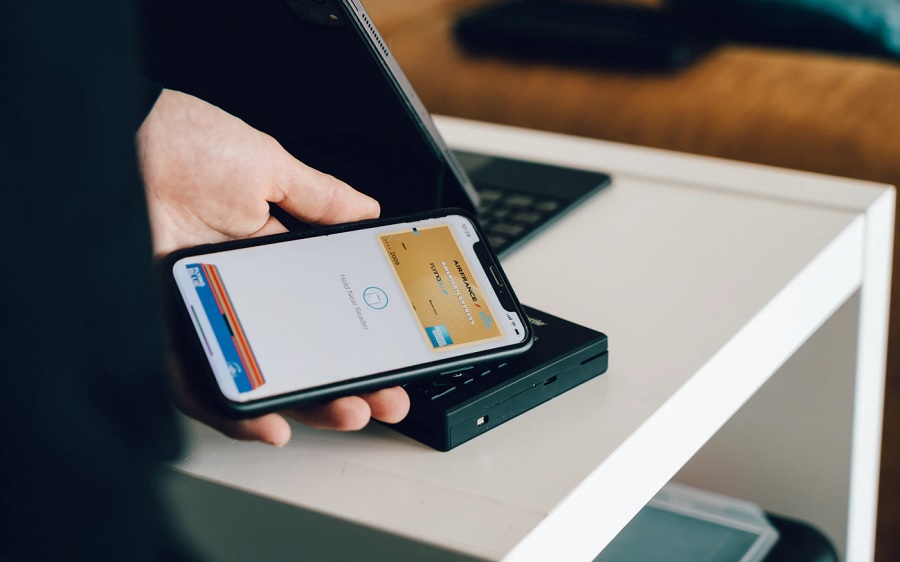
New York’s Metropolitan Transit Authority (MTA) officially launched the One Metro New York (OMNY) contactless payment system on New Year’s Eve. This means train and bus commuters will now be able to pay their fares with iPhones and Apple Watches.
New York’s OMNY public transport payment system supports Apple Play
OMNY trials started back in 2019, so the announcement made on New Year’s Eve was quite a milestone for the MTA and commuters. Train and bus riders with Apple Pay already set up on their iPhone or Apple Watch can now use these devices to pay during transportations through the MTA network.
Apple Pay allows users to link their credit or debit cards to a digital wallet and use them for online and one-tap payments in supported establishments. Apple Pay is compatible with certain models of iPhone, Apple Watch, iPad, and Mac computers. But since this is about commuting on trains and buses, iPhone and Apple Watch appear to be the most convenient devices to use.
As demonstrated by the MTA during its press conference, train riders can use cards that support one-tap payments and devices with support digital wallet. To pay for the fare, they will only have to tap the card or the mobile device onto the OMNY readers placed in the train stations. The scanners are equipped with smartphone-sized screens that will show a “GO” message once the transaction is successful. Aside from Apple Pay, OMNY also supports Google Pay, Samsung Pay, and Fitbit Pay.
How to set up Apple Pay for iPhone and Apple Watch
Setting up Apple Pay for OMNY purposes may be best done through an iPhone. To begin, open the Wallet app and tap the + button on the upper right corner of the screen. The app will then ask for the user to scan their desired debit or credit card, and there will be a guide frame to properly position the camera. Depending on which bank the card is registered to, users will have to follow another set of instructions to complete the process.
To use the wearable device for OMNY payments, Apple Pay can be set up by opening the Apple Watch app on a paired iPhone. Open the My Watch tab and select Wallet & Apple Pay. The same procedure of adding a debit or credit card will be followed and the process will be completed upon the verification of the bank or card issuer.







