Ford and Geely Explore Strategic Manufacturing Partnership in Europe
  Nvidia Nears $20 Billion OpenAI Investment as AI Funding Race Intensifies
  Amazon Stock Rebounds After Earnings as $200B Capex Plan Sparks AI Spending Debate
  Nvidia CEO Jensen Huang Says AI Investment Boom Is Just Beginning as NVDA Shares Surge
  Nasdaq Proposes Fast-Track Rule to Accelerate Index Inclusion for Major New Listings
  SoftBank Shares Slide After Arm Earnings Miss Fuels Tech Stock Sell-Off
  Once Upon a Farm Raises Nearly $198 Million in IPO, Valued at Over $724 Million
  Nintendo Shares Slide After Earnings Miss Raises Switch 2 Margin Concerns
  Global PC Makers Eye Chinese Memory Chip Suppliers Amid Ongoing Supply Crunch
  TSMC Eyes 3nm Chip Production in Japan with $17 Billion Kumamoto Investment
  Uber Ordered to Pay $8.5 Million in Bellwether Sexual Assault Lawsuit
  SpaceX Prioritizes Moon Mission Before Mars as Starship Development Accelerates
  OpenAI Expands Enterprise AI Strategy With Major Hiring Push Ahead of New Business Offering
  Anthropic Eyes $350 Billion Valuation as AI Funding and Share Sale Accelerate
  Sony Q3 Profit Jumps on Gaming and Image Sensors, Full-Year Outlook Raised
  TrumpRx Website Launches to Offer Discounted Prescription Drugs for Cash-Paying Americans
  CK Hutchison Launches Arbitration After Panama Court Revokes Canal Port Licences


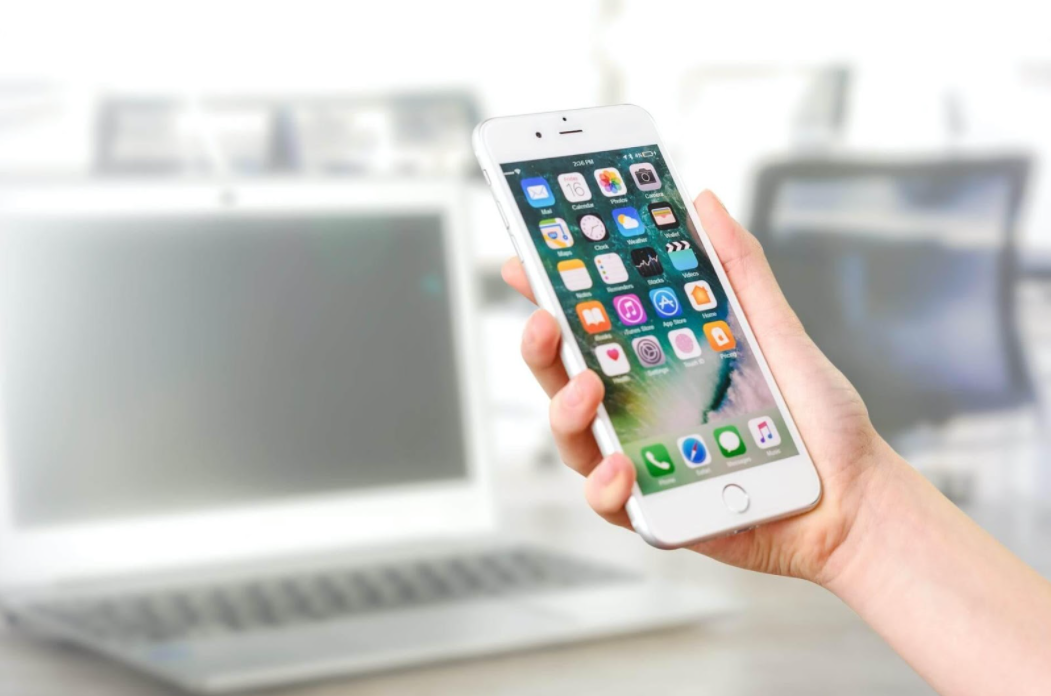
The significant difference between landscape and portrait image orientation is that landscape images are wider than they are taller. In comparison, portrait images are taller than they are wide. To put it another way, landscape photographs are captured horizontally, and portrait images are captured vertically. Since the beginning of photography, the terms portrait and landscape have been used. Furthermore, they're employed when we use our favorite apps, whether to play our favorite game or to play at an online casino.
What is portrait?
When the frame of a picture rests vertically – that is, the side margins are longer than the top and bottom edges – it is called a portrait. One of the best uses of portrait orientation is for photographing human portraits, as the name implies. The subject is taller than it is wide in this situation.
What is landscape?
When capturing objects such as natural landscapes, landscape refers to the camera's direction; the top and bottom margins of your horizontally positioned camera are longer than the sides. Therefore, the features of a landscape are, on average, much wider than they are higher.

https://images.pexels.com/photos/5226497/pexels-photo-5226497.jpeg?cs=srgb&dl=pexels-samson-katt-5226497.jpg&fm=jpg
Our smart gadgets' accelerometers are often used to align the screen depending on the device's orientation, such as when switching between portrait and landscape modes. Because it gives an additional layout with a simple rotation of a device and without pushing any buttons, this capability offers enormous chances to develop improved user experiences.
The mobile app for YouTube is an excellent example of device orientation design. Portrait mode provides a rich user experience for video discovery and account management. With a full-screen movie player and playback controls, landscape mode gives an immersive experience. When the film is finished, the display returns to portrait orientation, allowing users to tilt the tablet back and search for more videos swiftly.
We discovered that Portrait Galleries are used by 95 percent of the top apps in the Apple App Store. There's a little more variety in games, with Landscape Galleries appearing in 63 percent of the best titles. It's evident from these statistics that non-game app developers are more likely to employ Portrait Galleries, and this makes sense because most apps don't support horizontal UI. When people search for non-game apps on the App Store, they want to see an authentic representation of how they work.
Apps are also more reliant on presenting several features to attract installs, which is easier to achieve with a Portrait Gallery. However, this does provide an opportunity for apps that support a horizontal view to stand out by utilizing a Landscape Gallery.For example, applications like HBO or Netflix can test a Landscape Gallery to preview the unique, high-quality watching experiences visitors get when they download the apps because their media material is often consumed in landscape orientation.
The orientation in which games are played, on the other hand, is far more varied, and many games rely on strong brand awareness or category association to promote installs. These features provide creators with more creative leeway in showcasing gameplay, stories, and critical selling elements.

https://images.pexels.com/photos/270700/pexels-photo-270700.jpeg?cs=srgb&dl=pexels-pixabay-270700.jpg&fm=jpg
However, there are ways that we can try and force apps to change their viewing mode. There are a few things to look into if your app doesn't rotate to fit the complete width of the display when the device is turned to landscape position. The application's display orientation can be locked. Tap the "Settings" button on the toolbar of the game. Scroll down to the "Lock Orientation" option in the "Settings" display. Check to see if the current configuration is set to "auto" or your preferred fixed orientation.
If you use Instagram, you've probably noticed that the app is always in portrait mode regardless of your device's screen orientation. Of course, Instagram's user interface is optimized for portrait mode, but what if you prefer to see it in landscape mode? On the other hand, some programs can compel the content of your screen to be displayed in any orientation, at any time.
Rotation Control is a simple app that you can get for free on Google Play. After you've installed the app and opened it on your phone, you'll need to enable the Start controlling rotation option, which is required to manage the orientation of your screen. Rotation Control will be accessible from your phone's status bar if you enable the Start controlling rotation function, showing various options that are one swipe away at any moment.

https://images.pexels.com/photos/5053738/pexels-photo-5053738.jpeg?cs=srgb&dl=pexels-cottonbro-5053738.jpg&fm=jpg
It's not a new concept to design for device orientation. Smartphones, for example, open a larger virtual keyboard when rotated to landscape mode, and email programs on tablets transform to a master-detail interface. On the other hand, device orientation design is frequently regarded as an afterthought to the main interface because it is commonly overlooked by users who cling to the default orientation, primarily because they are unaware of its existence. Nevertheless, UX professionals may make a case for using device orientation to enhance their products and, ultimately, to provide more engaging and user-friendly experiences by adding simple visual signals to the interface.
This article does not necessarily reflect the opinions of the editors or the management of EconoTimes